RubyMine Stream Deck Profile
V1All 145 RubyMine shortcuts on your Stream Deck: Navigate (32), Edit (30), Code (19) + 6 more. One-click install, macOS & Windows.

- 145
- Shortcuts
- 9
- Groups
- macOS · Windows
- Platforms
- IDE
- Category
All 145 RubyMine shortcuts on your Stream Deck: Navigate (32), Edit (30), Code (19) + 6 more. One-click install, macOS & Windows.
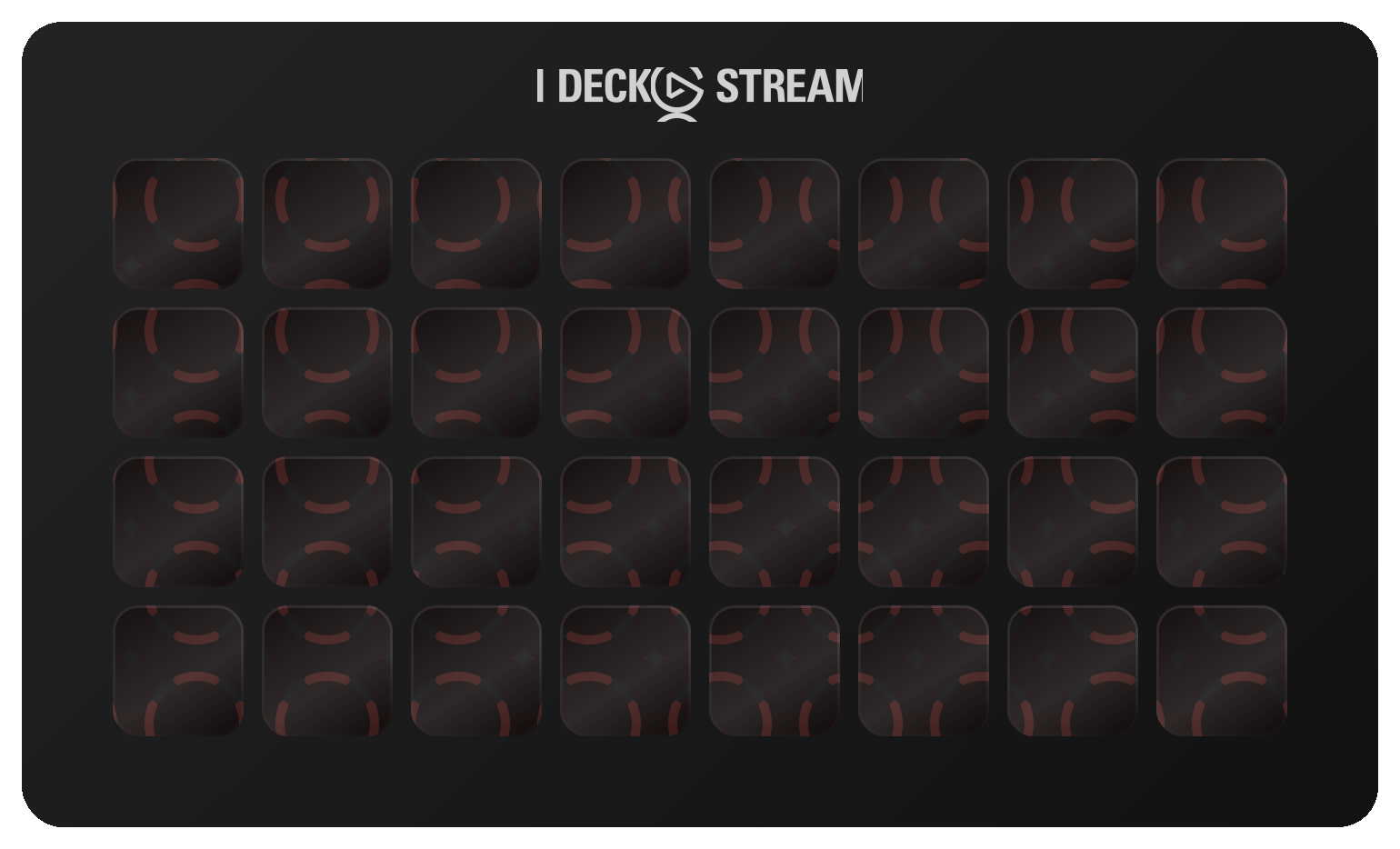
The first 32 of 145 shortcuts, laid out as they install. Press a key to see what it fires.
€7.99 Get it on Elgato Open this deck on its own page →
This profile's own key art, drawn by the same code that builds the files you install — and a starting point, not a fixed layout. Once it is imported, every key, folder and page is yours to move, rename, re-icon or delete in the Elgato Stream Deck app. What this page cannot be is the rest of the box: one theme of the ones it ships, two Stream Deck models of six, one platform's key combinations, and no dials.
Every published revision of this profile, newest first — what changed and why, in the maker's own words.
v1.0 — 2026-10-15 — First release. 143 RubyMine 2026.2 shortcuts across 8 folders plus two Help keys, each one read from JetBrains' own keymap data and the Ruby plugin's keymap for macOS and Windows. The Ruby & Rails folder holds Related Symbol (jump between model, controller, view and spec), Go to Test, Run Rake Task, Run Rails Generator, the two ERB tags and Toggle Camel/Snake Case. Includes one two-step key (Reformat then Run at Caret) and Smart Profile auto-switch on both platforms. Keys only — no dials.
Every action in the profile with its key combination, grouped as it is on the device.
| Action | macOS | Windows |
|---|---|---|
| Find Action | CMD SHIFT A | CTRL SHIFT A |
| Go to Class | CMD O | CTRL N |
| Go to File | CMD SHIFT O | CTRL SHIFT N |
| Go to Symbol | CMD ALT O | CTRL ALT SHIFT N |
| Go to Declaration | CMD B | CTRL B |
| Go to Implementation | CMD ALT B | CTRL ALT B |
| Go to Type Declaration | CMD SHIFT B | CTRL SHIFT B |
| Go to Super Method | CMD U | CTRL U |
| Go to Line | CMD L | CTRL G |
| Recent Files | CMD E | CTRL E |
| Recent Locations | CMD SHIFT E | CTRL SHIFT E |
| Back | CMD [ | CTRL ALT LEFT |
| Forward | CMD ] | CTRL ALT RIGHT |
| Last Edit Location | CMD SHIFT BACKSPACE | CTRL SHIFT BACKSPACE |
| Select Next Tab | CMD SHIFT ] | ALT RIGHT |
| Select Previous Tab | CMD SHIFT [ | ALT LEFT |
| Switcher | CTRL TAB | CTRL TAB |
| Close Tab | CMD W | CTRL F4 |
| Next Highlighted Error | F2 | F2 |
| Previous Highlighted Error | SHIFT F2 | SHIFT F2 |
| Next Method | CTRL SHIFT DOWN | ALT DOWN |
| Previous Method | CTRL SHIFT UP | ALT UP |
| File Structure | CMD F12 | CTRL F12 |
| Type Hierarchy | CTRL H | CTRL H |
| Method Hierarchy | CMD SHIFT H | CTRL SHIFT H |
| Call Hierarchy | CTRL ALT H | CTRL ALT H |
| Find Usages | ALT F7 | ALT F7 |
| Show Usages | CMD ALT F7 | CTRL ALT F7 |
| Highlight Usages in File | CMD SHIFT F7 | CTRL SHIFT F7 |
| Toggle Bookmark | F3 | F11 |
| Show All Bookmarks | CMD F3 | SHIFT F11 |
| Jump to Source | CMD DOWN | F4 |
| Action | macOS | Windows |
|---|---|---|
| Undo | CMD Z | CTRL Z |
| Redo | CMD SHIFT Z | CTRL SHIFT Z |
| Save All | CMD S | CTRL S |
| Duplicate Line or Selection | CMD D | CTRL D |
| Delete Line | CMD BACKSPACE | CTRL Y |
| Join Lines | CTRL SHIFT J | CTRL SHIFT J |
| Toggle Case | CMD SHIFT U | CTRL SHIFT U |
| Move Statement Up | CMD SHIFT UP | CTRL SHIFT UP |
| Move Statement Down | CMD SHIFT DOWN | CTRL SHIFT DOWN |
| Move Line Up | ALT SHIFT UP | ALT SHIFT UP |
| Move Line Down | ALT SHIFT DOWN | ALT SHIFT DOWN |
| Extend Selection | ALT UP | CTRL W |
| Shrink Selection | ALT DOWN | CTRL SHIFT W |
| Add Selection for Next Occurrence | CTRL G | ALT J |
| Select All Occurrences | CMD CTRL G | CTRL ALT SHIFT J |
| Unselect Occurrence | CTRL SHIFT G | ALT SHIFT J |
| Toggle Column Selection Mode | CMD SHIFT 8 | ALT SHIFT INSERT |
| Add Caret to Each Line in Selection | ALT SHIFT G | ALT SHIFT G |
| Paste from History | CMD SHIFT V | CTRL SHIFT V |
| Collapse Code Block | CMD MINUS | CTRL MINUS |
| Expand Code Block | CMD EQUAL | CTRL EQUAL |
| Collapse All | CMD SHIFT MINUS | CTRL SHIFT MINUS |
| Expand All | CMD SHIFT EQUAL | CTRL SHIFT EQUAL |
| Fold Selection | CMD . | CTRL . |
| Find | CMD F | CTRL F |
| Replace | CMD R | CTRL R |
| Find Next | CMD G | F3 |
| Find Previous | CMD SHIFT G | SHIFT F3 |
| Find in Files | CMD SHIFT F | CTRL SHIFT F |
| Replace in Files | CMD SHIFT R | CTRL SHIFT R |
| Action | macOS | Windows |
|---|---|---|
| Basic Completion | CTRL SPACE | CTRL SPACE |
| Complete Current Statement | CMD SHIFT ENTER | CTRL SHIFT ENTER |
| Show Context Actions | ALT ENTER | ALT ENTER |
| Generate | CMD N | ALT INSERT |
| Insert Live Template | CMD J | CTRL J |
| Surround With | CMD ALT T | CTRL ALT T |
| Surround with Live Template | CMD ALT J | CTRL ALT J |
| Comment with Line Comment | CMD / | CTRL / |
| Comment with Block Comment | CMD ALT / | CTRL SHIFT / |
| Reformat Code | CMD ALT L | CTRL ALT L |
| Reformat File Dialog | CMD ALT SHIFT L | CTRL ALT SHIFT L |
| Auto-Indent Lines | CTRL ALT I | CTRL ALT I |
| Parameter Info | CMD P | CTRL P |
| Quick Documentation | F1 | CTRL Q |
| Quick Definition | ALT SPACE | CTRL SHIFT I |
| Type Info | CTRL SHIFT P | CTRL SHIFT P |
| Context Info | CTRL SHIFT Q | ALT Q |
| Error Description | CMD F1 | CTRL F1 |
| Run Inspection by Name | CMD ALT SHIFT I | CTRL ALT SHIFT I |
| Action | macOS | Windows |
|---|---|---|
| Run | CTRL R | SHIFT F10 |
| Debug | CTRL D | SHIFT F9 |
| Run Configuration Popup | CTRL ALT R | ALT SHIFT F10 |
| Stop | CMD F2 | CTRL F2 |
| Rerun Tests | CMD CTRL R | ALT SHIFT R |
| Resume Program | CMD ALT R | F9 |
| Step Over | F8 | F8 |
| Step Into | F7 | F7 |
| Smart Step Into | SHIFT F7 | SHIFT F7 |
| Step Out | SHIFT F8 | SHIFT F8 |
| Run to Cursor | ALT F9 | ALT F9 |
| Evaluate Expression | ALT F8 | ALT F8 |
| Toggle Line Breakpoint | CMD F8 | CTRL F8 |
| Toggle Temporary Breakpoint | CMD ALT SHIFT F8 | CTRL ALT SHIFT F8 |
| View Breakpoints | CMD SHIFT F8 | CTRL SHIFT F8 |
| Action | macOS | Windows |
|---|---|---|
| Show Project Window | CMD 1 | ALT 1 |
| Show Find Window | CMD 3 | ALT 3 |
| Show Run Window | CMD 4 | ALT 4 |
| Show Debug Window | CMD 5 | ALT 5 |
| Show Problems Window | CMD 6 | ALT 6 |
| Show Structure Window | CMD 7 | ALT 7 |
| Show Services Window | CMD 8 | ALT 8 |
| Show Terminal Window | ALT F12 | ALT F12 |
| Hide All Tool Windows | CMD SHIFT F12 | CTRL SHIFT F12 |
| Hide Active Tool Window | SHIFT ESCAPE | SHIFT ESCAPE |
| Jump to Last Tool Window | F12 | F12 |
| Quick Switch Scheme | CTRL ` | CTRL ` |
| Reload All from Disk | CMD ALT Y | CTRL ALT Y |
| New Scratch File | CMD SHIFT N | CTRL ALT SHIFT INSERT |
| Settings | CMD , | CTRL ALT S |
| Action | macOS | Windows |
|---|---|---|
| Refactor This | CTRL T | CTRL ALT SHIFT T |
| Rename | SHIFT F6 | SHIFT F6 |
| Extract Method | CMD ALT M | CTRL ALT M |
| Introduce Variable | CMD ALT V | CTRL ALT V |
| Introduce Constant | CMD ALT C | CTRL ALT C |
| Introduce Instance Variable | CMD ALT F | CTRL ALT F |
| Introduce Parameter | CMD ALT P | CTRL ALT P |
| Inline | CMD ALT N | CTRL ALT N |
| Change Signature | CMD F6 | CTRL F6 |
| Move | F6 | F6 |
| Safe Delete | CMD DELETE | ALT DELETE |
| Action | macOS | Windows |
|---|---|---|
| Commit | CMD K | CTRL K |
| Push | CMD SHIFT K | CTRL SHIFT K |
| Update Project | CMD T | CTRL T |
| VCS Operations Popup | CTRL V | ALT ` |
| Rollback Changes | CMD ALT Z | CTRL ALT Z |
| Add to VCS | CMD ALT A | CTRL ALT A |
| Next Change | CTRL ALT SHIFT DOWN | CTRL ALT SHIFT DOWN |
| Previous Change | CTRL ALT SHIFT UP | CTRL ALT SHIFT UP |
| Recent Changes | ALT SHIFT C | ALT SHIFT C |
| Show Commit Window | CMD 0 | ALT 0 |
| Show Version Control Window | CMD 9 | ALT 9 |
| Action | macOS | Windows |
|---|---|---|
| Related Symbol (Rails MVC) | CMD CTRL UP | CTRL ALT HOME |
| Go to Test or Spec | CMD SHIFT T | CTRL SHIFT T |
| Run Context Configuration (Spec at Caret) | CTRL SHIFT R | CTRL SHIFT F10 |
| Reformat, then Run at Caret | CMD ALT L CTRL SHIFT R | CTRL ALT L CTRL SHIFT F10 |
| Run Rake Task | ALT R | CTRL ALT R |
| Run Rails Generator | CMD ALT G | CTRL ALT G |
| Insert ERB Output Tag | CMD SHIFT . | CTRL SHIFT . |
| Insert ERB Tag | CMD SHIFT , | CTRL SHIFT , |
| Toggle Camel / Snake Case | ALT SHIFT U | ALT SHIFT U |
| Show Diagram (Rails Models) | CMD ALT SHIFT U | CTRL ALT SHIFT U |
| Action | macOS | Windows |
|---|---|---|
| RubyMine Documentation | — | — |
| Keymap Reference | — | — |
RubyMine keyboard shortcuts on ShortcutPosters → — the same shortcuts as a printable reference, with the source documentation each one was checked against.
145 shortcuts auto-paginate to fit any Stream Deck — one key per page is reserved for navigation.
145 shortcuts, grouped into 9 sets: Navigate (32), Edit (30), Code (19), Run & Debug (15), View (15), Refactor (11), VCS (11), Ruby & Rails (10), Help (2).
Yes — it auto-paginates. Mini needs 29 pages, Neo needs 21 pages, MK.2 needs 11 pages, XL needs 5 pages, + needs 21 pages, + XL needs 5 pages.
Yes — completely. It installs as 145 shortcuts laid out across as many pages as your device needs, and every one of them is yours from that moment: in the official Elgato Stream Deck app you can drag a key to another slot, rename it, change its icon, group keys into your own folders, add your own actions or delete what you don't use. The layout is a starting point, not a lock.
macOS and Windows. Each shortcut ships with its platform-specific key combination, so one profile covers both.
Every review here was read and approved by the maker before it was published — good or bad, as written. Nothing is posted automatically.
No reviews of RubyMine yet.
Bought RubyMine? Leave a review Read by the maker before it's published.
Trouble installing it, a key that fires the wrong thing, or a shortcut RubyMine changed in a recent version — that's ours to fix. The form arrives with RubyMine already filled in.
The whole developers bench — 22 profiles,
2,028 shortcuts
, 3 plugins , 2 icon packs →
Browse all 187 profiles →