GoLand Stream Deck Profile
V1All 143 GoLand shortcuts on your Stream Deck: Code (34), Navigate (24), Run & Debug (19) + 6 more. One-click install, macOS & Windows.

- 143
- Shortcuts
- 9
- Groups
- macOS · Windows
- Platforms
- IDE
- Category
All 143 GoLand shortcuts on your Stream Deck: Code (34), Navigate (24), Run & Debug (19) + 6 more. One-click install, macOS & Windows.
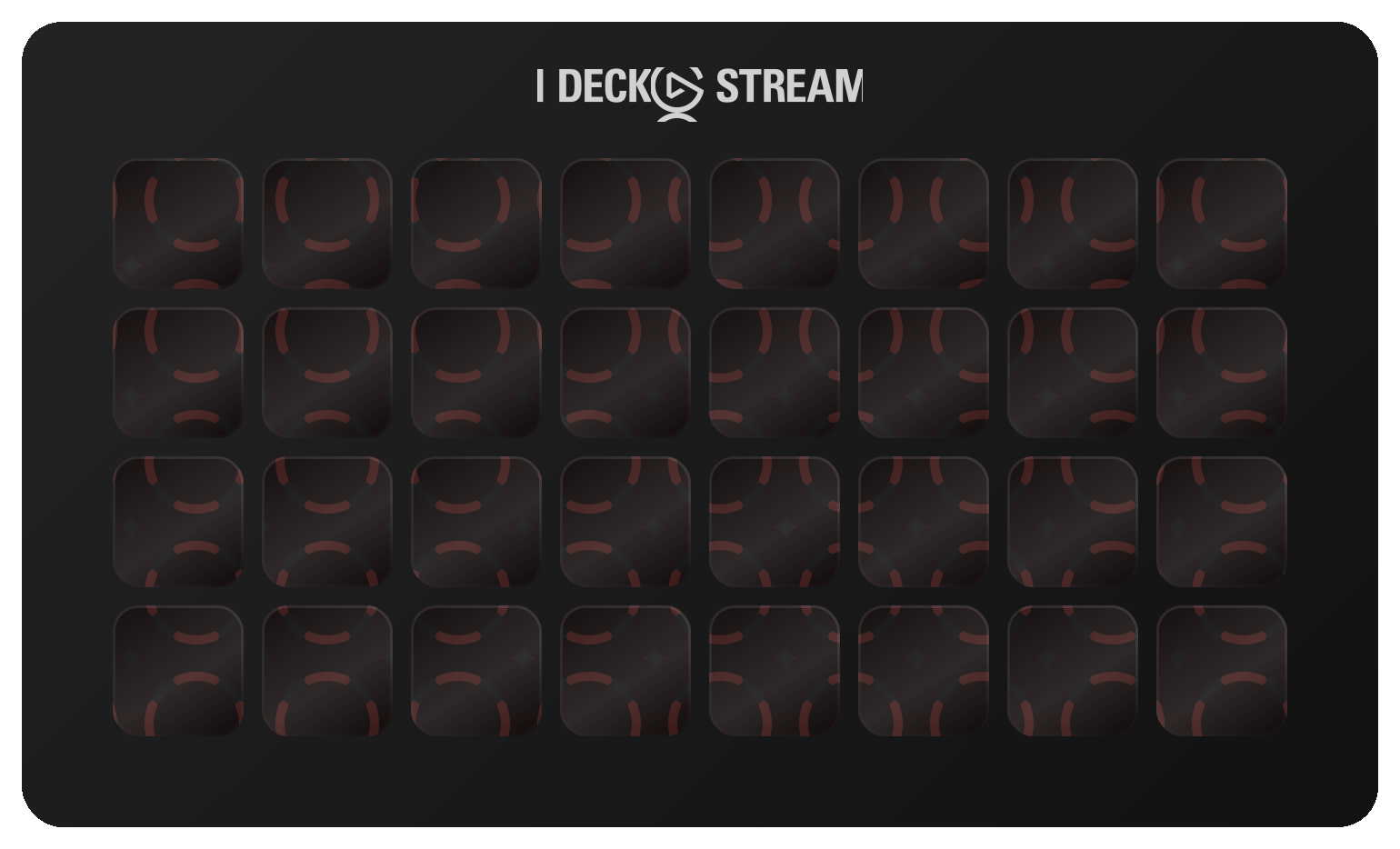
The first 32 of 143 shortcuts, laid out as they install. Press a key to see what it fires.
€7.99 Get it on Elgato Open this deck on its own page →
This profile's own key art, drawn by the same code that builds the files you install — and a starting point, not a fixed layout. Once it is imported, every key, folder and page is yours to move, rename, re-icon or delete in the Elgato Stream Deck app. What this page cannot be is the rest of the box: one theme of the ones it ships, two Stream Deck models of six, one platform's key combinations, and no dials.
Every published revision of this profile, newest first — what changed and why, in the maker's own words.
v1.0 — 2026-10-15 — First release. 141 GoLand 2026.2 shortcuts across 8 folders plus two Help keys. Every binding was read from JetBrains' own data for macOS and Windows: the GoLand help's keymap tables, the IntelliJ platform keymaps, and the Go plugin's descriptor inside GoLand itself, which is where Go Fmt File, Go Fmt Project, Go Generate File and Share in Playground get their keys. Includes one two-step key (Reformat and Optimize Imports), three pinned keys and Smart Profile auto-switch on both platforms. Keys only — no dials.
Every action in the profile with its key combination, grouped as it is on the device.
| Action | macOS | Windows |
|---|---|---|
| Show Context Actions | ALT ENTER | ALT ENTER |
| Basic Completion | CTRL SPACE | CTRL SPACE |
| Type-Matching Completion | CTRL SHIFT SPACE | CTRL SHIFT SPACE |
| Complete Current Statement | CMD SHIFT ENTER | CTRL SHIFT ENTER |
| Parameter Info | CMD P | CTRL P |
| Quick Documentation | F1 | CTRL Q |
| Quick Definition | ALT SPACE | CTRL SHIFT I |
| External Documentation | SHIFT F1 | SHIFT F1 |
| Insert Live Template | CMD J | CTRL J |
| Surround With | CMD ALT T | CTRL ALT T |
| Unwrap / Remove | CMD SHIFT DELETE | CTRL SHIFT DELETE |
| Comment with Line Comment | CMD / | CTRL / |
| Comment with Block Comment | CMD ALT / | CTRL SHIFT / |
| Duplicate Line or Selection | CMD D | CTRL D |
| Delete Line | CMD BACKSPACE | CTRL Y |
| Move Statement Up | CMD SHIFT UP | CTRL SHIFT UP |
| Move Statement Down | CMD SHIFT DOWN | CTRL SHIFT DOWN |
| Move Line Up | ALT SHIFT UP | ALT SHIFT UP |
| Move Line Down | ALT SHIFT DOWN | ALT SHIFT DOWN |
| Join Lines | CTRL SHIFT J | CTRL SHIFT J |
| Extend Selection | ALT UP | CTRL W |
| Shrink Selection | ALT DOWN | CTRL SHIFT W |
| Add Selection for Next Occurrence | CTRL G | ALT J |
| Select All Occurrences | CMD CTRL G | CTRL ALT SHIFT J |
| Column Selection Mode | CMD SHIFT 8 | ALT SHIFT INSERT |
| Add Carets to Ends of Selected Lines | ALT SHIFT G | ALT SHIFT G |
| Paste from History | CMD SHIFT V | CTRL SHIFT V |
| Fold Selection | CMD . | CTRL . |
| Toggle Case | CMD SHIFT U | CTRL SHIFT U |
| Error Description | CMD F1 | CTRL F1 |
| Run Inspection by Name | CMD ALT SHIFT I | CTRL ALT SHIFT I |
| Undo | CMD Z | CTRL Z |
| Redo | CMD SHIFT Z | CTRL SHIFT Z |
| Save All | CMD S | CTRL S |
| Action | macOS | Windows |
|---|---|---|
| Go to Declaration or Usages | CMD B | CTRL B |
| Go to Implementations | CMD ALT B | CTRL ALT B |
| Go to Super Method or Interface | CMD U | CTRL U |
| Go to Type Declaration | CMD SHIFT B | CTRL SHIFT B |
| Go to Type | CMD O | CTRL N |
| Go to File | CMD SHIFT O | CTRL SHIFT N |
| Go to Symbol | CMD ALT O | CTRL ALT SHIFT N |
| Go to Line:Column | CMD L | CTRL G |
| Recent Files | CMD E | CTRL E |
| Recent Locations | CMD SHIFT E | CTRL SHIFT E |
| Back | CMD [ | CTRL ALT LEFT |
| Forward | CMD ] | CTRL ALT RIGHT |
| Last Edit Location | CMD SHIFT BACKSPACE | CTRL SHIFT BACKSPACE |
| Next Highlighted Error | F2 | F2 |
| Previous Highlighted Error | SHIFT F2 | SHIFT F2 |
| File Structure | CMD F12 | CTRL F12 |
| Type Hierarchy | CTRL H | CTRL H |
| Call Hierarchy | CTRL ALT H | CTRL ALT H |
| Next Method | CTRL SHIFT DOWN | ALT DOWN |
| Previous Method | CTRL SHIFT UP | ALT UP |
| Toggle Bookmark | F3 | F11 |
| Show Bookmarks | CMD F3 | SHIFT F11 |
| Select In | ALT F1 | ALT F1 |
| Jump to Navigation Bar | CMD UP | ALT HOME |
| Action | macOS | Windows |
|---|---|---|
| Run | CTRL R | SHIFT F10 |
| Debug | CTRL D | SHIFT F9 |
| Choose and Run Configuration | CTRL ALT R | ALT SHIFT F10 |
| Choose and Debug Configuration | CTRL ALT D | ALT SHIFT F9 |
| Stop | CMD F2 | CTRL F2 |
| Attach to Process | ALT SHIFT F5 | CTRL ALT F5 |
| Step Over | F8 | F8 |
| Step Into | F7 | F7 |
| Smart Step Into | SHIFT F7 | SHIFT F7 |
| Step Out | SHIFT F8 | SHIFT F8 |
| Run to Cursor | ALT F9 | ALT F9 |
| Force Run to Cursor | CMD ALT F9 | CTRL ALT F9 |
| Resume Program | CMD ALT R | F9 |
| Evaluate Expression | ALT F8 | ALT F8 |
| Quick Evaluate Expression | CMD ALT F8 | CTRL ALT F8 |
| Show Execution Point | ALT F10 | ALT F10 |
| Toggle Line Breakpoint | CMD F8 | CTRL F8 |
| Toggle Temporary Line Breakpoint | CMD ALT SHIFT F8 | CTRL ALT SHIFT F8 |
| View Breakpoints | CMD SHIFT F8 | CTRL SHIFT F8 |
| Action | macOS | Windows |
|---|---|---|
| Show Project Window | CMD 1 | ALT 1 |
| Show Run Window | CMD 4 | ALT 4 |
| Show Debug Window | CMD 5 | ALT 5 |
| Show Problems Window | CMD 6 | ALT 6 |
| Show Structure Window | CMD 7 | ALT 7 |
| Show Services Window | CMD 8 | ALT 8 |
| Show Terminal Window | ALT F12 | ALT F12 |
| Hide All Tool Windows | CMD SHIFT F12 | CTRL SHIFT F12 |
| Hide Active Tool Window | SHIFT ESCAPE | SHIFT ESCAPE |
| Jump to Last Tool Window | F12 | F12 |
| Maximize Tool Window | CMD SHIFT ' | CTRL SHIFT ' |
| Switcher | CTRL TAB | CTRL TAB |
| Select Next Tab | CMD SHIFT ] | ALT RIGHT |
| Select Previous Tab | CMD SHIFT [ | ALT LEFT |
| Close Tab | CMD W | CTRL F4 |
| Quick Switch Scheme | CTRL ` | CTRL ` |
| Settings | CMD , | CTRL ALT S |
| Action | macOS | Windows |
|---|---|---|
| Go Fmt File | CMD ALT SHIFT F | CTRL ALT SHIFT F |
| Go Fmt Project | CMD ALT SHIFT P | CTRL ALT SHIFT P |
| Go Generate File | CMD ALT G | CTRL ALT G |
| Share in Go Playground | CMD ALT SHIFT S | CTRL ALT SHIFT S |
| Reformat Code | CMD ALT L | CTRL ALT L |
| Reformat File Dialog | CMD ALT SHIFT L | CTRL ALT SHIFT L |
| Optimize Imports | CTRL ALT O | CTRL ALT O |
| Reformat and Optimize Imports | CMD ALT L CTRL ALT O | CTRL ALT L CTRL ALT O |
| Generate | CMD N | ALT INSERT |
| Implement Interface Methods | CTRL I | CTRL I |
| Expression Type Info | CTRL SHIFT P | CTRL SHIFT P |
| Go to Test | CMD SHIFT T | CTRL SHIFT T |
| Run Context Configuration | CTRL SHIFT R | CTRL SHIFT F10 |
| Rerun Tests | CMD CTRL R | ALT SHIFT R |
| Show Code Coverage Data | CMD ALT F6 | CTRL ALT F6 |
| Action | macOS | Windows |
|---|---|---|
| Refactor This | CTRL T | CTRL ALT SHIFT T |
| Rename | SHIFT F6 | SHIFT F6 |
| Change Signature | CMD F6 | CTRL F6 |
| Extract Method | CMD ALT M | CTRL ALT M |
| Introduce Variable | CMD ALT V | CTRL ALT V |
| Extract Constant | CMD ALT C | CTRL ALT C |
| Inline | CMD ALT N | CTRL ALT N |
| Move | F6 | F6 |
| Copy Element | F5 | F5 |
| Safe Delete | CMD DELETE | ALT DELETE |
| Copy Reference | CMD ALT SHIFT C | CTRL ALT SHIFT C |
| Action | macOS | Windows |
|---|---|---|
| Find Action | CMD SHIFT A | CTRL SHIFT A |
| Find | CMD F | CTRL F |
| Replace | CMD R | CTRL R |
| Find Next | CMD G | F3 |
| Find Previous | CMD SHIFT G | SHIFT F3 |
| Find in Files | CMD SHIFT F | CTRL SHIFT F |
| Replace in Files | CMD SHIFT R | CTRL SHIFT R |
| Find Usages | ALT F7 | ALT F7 |
| Show Usages | CMD ALT F7 | CTRL ALT F7 |
| Find Usages in File | CMD F7 | CTRL F7 |
| Highlight Usages in File | CMD SHIFT F7 | CTRL SHIFT F7 |
| Action | macOS | Windows |
|---|---|---|
| Commit | CMD K | CTRL K |
| Push | CMD SHIFT K | CTRL SHIFT K |
| Update Project | CMD T | CTRL T |
| VCS Operations Popup | CTRL V | ALT ` |
| Rollback | CMD ALT Z | CTRL ALT Z |
| Next Change | CTRL ALT SHIFT DOWN | CTRL ALT SHIFT DOWN |
| Previous Change | CTRL ALT SHIFT UP | CTRL ALT SHIFT UP |
| Recent Changes | ALT SHIFT C | ALT SHIFT C |
| Show Commit Window | CMD 0 | ALT 0 |
| Show Git Window | CMD 9 | ALT 9 |
| Action | macOS | Windows |
|---|---|---|
| GoLand Documentation | — | — |
| Keymap Reference | — | — |
GoLand keyboard shortcuts on ShortcutPosters → — the same shortcuts as a printable reference, with the source documentation each one was checked against.
143 shortcuts auto-paginate to fit any Stream Deck — one key per page is reserved for navigation.
143 shortcuts, grouped into 9 sets: Code (34), Navigate (24), Run & Debug (19), View (17), Go (15), Refactor (11), Search (11), VCS (10), Help (2).
Yes — it auto-paginates. Mini needs 29 pages, Neo needs 21 pages, MK.2 needs 11 pages, XL needs 5 pages, + needs 21 pages, + XL needs 5 pages.
Yes — completely. It installs as 143 shortcuts laid out across as many pages as your device needs, and every one of them is yours from that moment: in the official Elgato Stream Deck app you can drag a key to another slot, rename it, change its icon, group keys into your own folders, add your own actions or delete what you don't use. The layout is a starting point, not a lock.
macOS and Windows. Each shortcut ships with its platform-specific key combination, so one profile covers both.
Every review here was read and approved by the maker before it was published — good or bad, as written. Nothing is posted automatically.
No reviews of GoLand yet.
Bought GoLand? Leave a review Read by the maker before it's published.
Trouble installing it, a key that fires the wrong thing, or a shortcut GoLand changed in a recent version — that's ours to fix. The form arrives with GoLand already filled in.
The whole developers bench — 22 profiles,
2,028 shortcuts
, 3 plugins , 2 icon packs →
Browse all 187 profiles →